windows

Exchange混合部署迁移

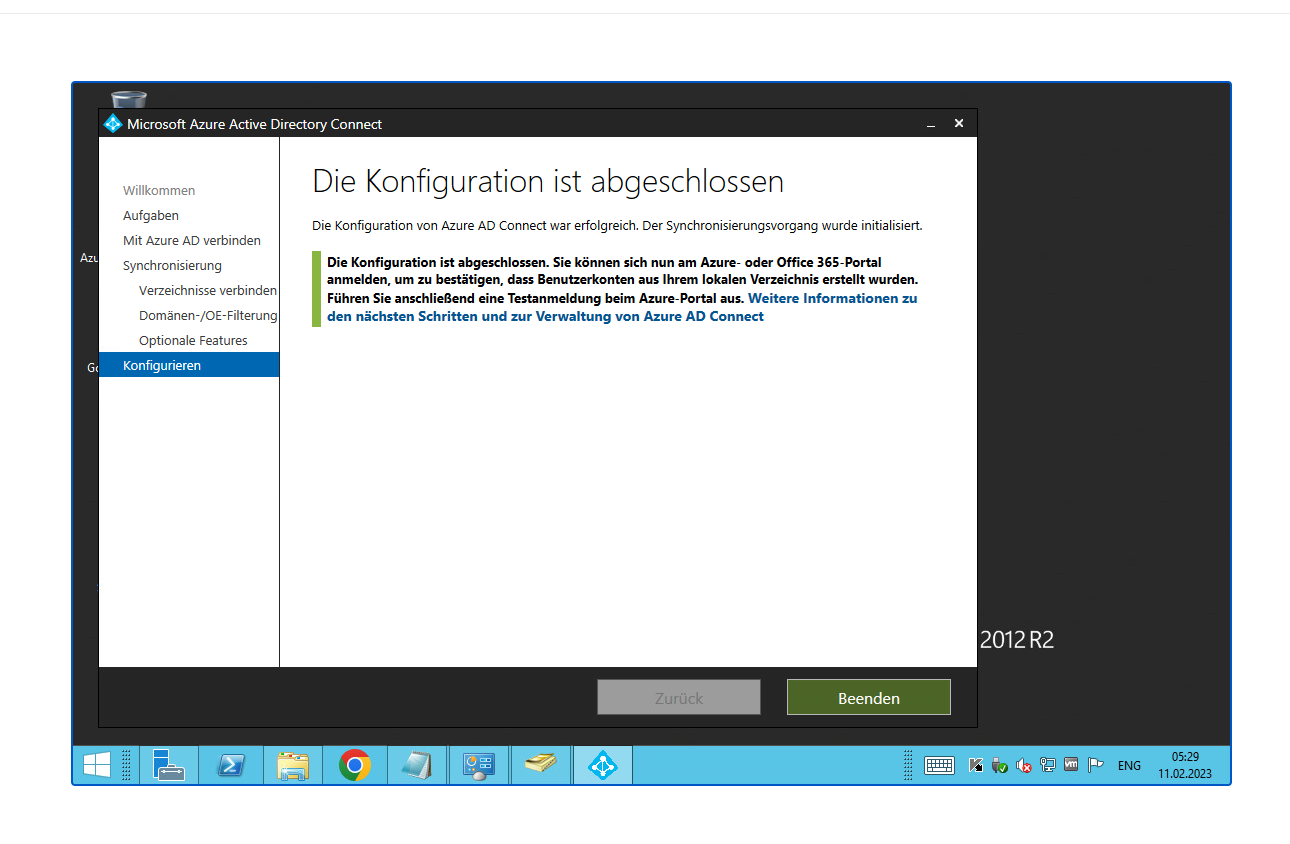
Azure Connect: https://www.alitajran.com/wp-content/uploads/setups/AzureADConnect-1.6.16.0.msi
How to disable sync: https://www.youtube.com/watch?v=zdOliNam4VU https://techpress.net/converting-synced-user-to-in-cloud-only-user-account-on-office365/


[Net.ServicePointManager]::SecurityProtocol = [Net.SecurityProtocolType]::Tls12
Connect-MsolService
 

https://learn.microsoft.com/zh-cn/microsoft-365/enterprise/prepare-a-non-routable-domain-for-directory-synchronization?redirectSourcePath=%252fen-us%252farticle%252fHow-to-prepare-a-non-routable-domain-such-as-local-domain-for-directory-synchronization-e7968303-c234-46c4-b8b0-b5c93c6d57a7&view=o365-worldwide 准备不可路由域以进行目录同步

https://www.codetwo.com/admins-blog/how-to-merge-an-office-365-account-with-an-on-premises-ad-account-after-hybrid-configuration/#two-mailboxes 如何在混合配置后将 Office 365 帐户与本地 AD 帐户合并?

https://learn.microsoft.com/en-us/answers/questions/716754/azure-ad-connect-error-unique-value

powershell 4.0 升级 5.1

https://qiaolb.github.io/azure-nuget-https.html

强制关联:Set-MsolUser -UserPrincipalName xxxx@xxxx.com -ImmutableId xxxxxx

混合部署要求 https://learn.microsoft.com/zh-cn/exchange/hybrid-deployment-prerequisites

Calendar不显示 https://appuals.com/fix-calendar-missing-in-microsoft-teams-on-windows-10/

测试 https://testconnectivity.microsoft.com/tests/teams

完整Hybrid Configuration Wizard


为 Exchange 本地邮箱配置 Teams 日历访问


打不开outlook可能是权限分重复了

转发不了邮件是要开启enable-organizationcustomization

收不到邮件可能是exchange server的routing选择不对


单独关闭一个用户的On-premises

  1. 本地AD移出Filter sync的范围,User在Azure Online中会被sync软删除
  2. 在Azure中还原User
  3. Set-MsolUser -UserPrincipalName username@xxx.com -ImmutableID “$null”

全部关闭azure同步:

Set-MsolDirSyncEnabled -EnableDirSync $false

https://learn.microsoft.com/en-us/microsoft-365/enterprise/turn-off-directory-synchronization?view=o365-worldwide

1 Comment more...

merge PPT by openoffice

below the only solution I can imagine for Impress slides. Maybe somebody else can come up with something simplier … seems OO API is quite complex here.

(continue reading…)


PowerPoint 2007 VBA bugs/problems

There’s an awful lot of unfinished business that we hope will be addressed in service packs, but for now, PowerPoint 2007 and VBA aren’t very well assembled.


The Object Browser shows you quite a bit of mouth-watering stuff, but way too much of it seems to be methods and properties of objects that you’re given no way of accessing. And there are bugs. Oh my, are there bugs.

(continue reading…)


Merge pptx

Using VBA programming languag. (continue reading…)


PHP PowerPoint 2007

Project providing a set of classes for the PHP programming language, which allow you to write to and read from different file formats, like PowerPoint 2007, … This project is built around Microsoft’s OpenXML standard and PHP.
Checkout the Features this class set provides, such as setting presentation meta data (author, title, description, …), adding slides, adding images to your presentation and much, much more!

Want to bookmark this page? Please use http://www.phppowerpoint.net as the URL.

Initial version developed by Maarten Balliauw, RealDolmen.

http://phppowerpoint.codeplex.com


(continue reading…)


网站压力测试工具webbench

webbench最多可以模拟3万个并发连接去测试网站的负载能力,个人感觉要比Apache自带的ab压力测试工具好,安装使用也特别方便。 (continue reading…)


cmd 阻止某文件夹内写入文件

用cmd的cacls命令可以,比如你要限制的文件夹是c:\123

操作如下: 打开“开始”,选择“运行”,输入“CMD”,打开命令行窗口,在命令行窗口中输入一下命令:cacls c:\123 /p everyone:n

然后会提示你是否确定,按Y即可。


Server Application Unavailable

Server Application Unavailable
The web application you are attempting to access on this web server is currently unavailable.  Please hit the “Refresh” button in your web browser to retry your request.
(continue reading…)

1 Comment more...

批处理运行网页

@echo off
“%programfiles%\Internet Explorer\IEXPLORE.EXE ” http://www.baidu.com
exit


网站HTTP密码保护

首先创建htaccess

方法很多

windows下: (continue reading…)


Copyright © 1996-2010 Add Lives. All rights reserved.
iDream theme by Templates Next | Powered by WordPress